Enterprise GitLab Licensing: A Complete Guide to Managing Costs and Choosing the Right Tier
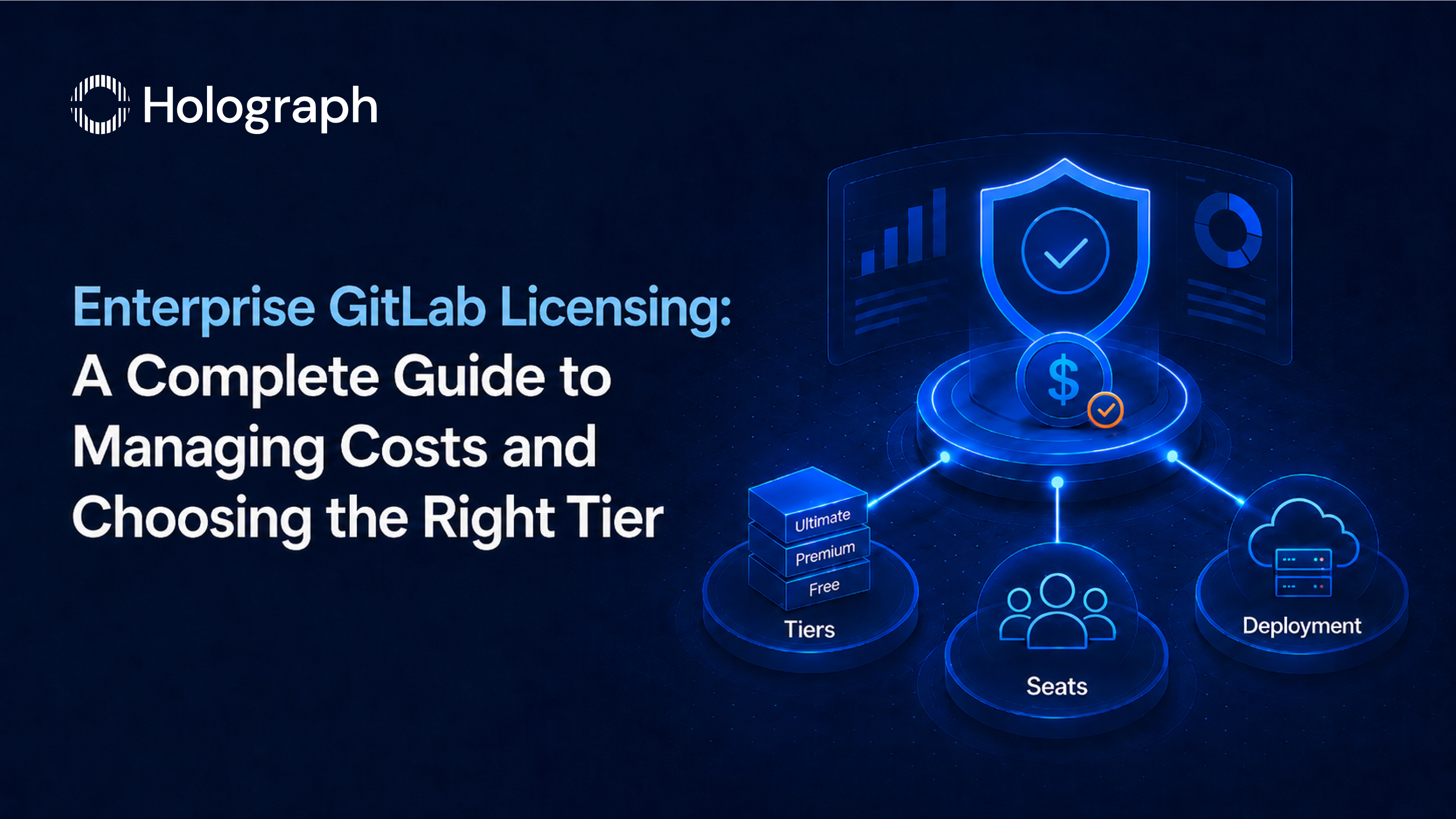
GitLab is the DevSecOps platform that enterprises use to manage source code, CI/CD pipelines, security scanning, and release governance across development teams. For enterprises with 50 or more licensed users, GitLab is also a significant software spend line item, and one that most procurement teams have not reviewed substantively since initial deployment.
The pattern is consistent. The tier was selected at the point of purchase, often based on the security features the CISO requested at the time. Seats accumulate as the user base grows without a structured deprovisioning process. The deployment model (self-managed or GitLab.com) was decided at initial implementation and never formally reconsidered. Renewals arrive annually and process on existing terms because nobody prepared a data-backed position before the contract reached the legal team.
This guide covers how GitLab's licensing model works, the three deployment options and their cost implications, where enterprise GitLab licensing waste accumulates, and how to audit and right-size a GitLab investment. The three cluster posts in this set go deeper on specific decisions: GitLab Premium vs Ultimate, self-managed vs SaaS total cost of ownership, and the step-by-step GitLab licensing audit playbook.
How GitLab's Licensing Model Works
GitLab's licensing structure operates on two independent axes: tier and deployment model. The tier determines which features are available. The deployment model determines where the platform runs and who manages the infrastructure. Licence cost is determined by the tier; total cost of ownership depends on both.
The Three GitLab Tiers
GitLab Free covers the fundamental platform: source code management, merge requests, basic CI/CD pipeline execution, issue tracking, and community support. It suits small teams and open source projects but lacks the enterprise controls required for regulated environments or large-scale DevOps organisations.
GitLab Premium is the enterprise baseline tier. It adds the governance and workflow controls that enterprise environments require: merge approval rules, code owners, protected branch controls with granular access permissions, epics and roadmaps for portfolio-level planning, audit events and audit log streaming for compliance tracing, enhanced CI/CD with protected environments and deployment approvals, and SAML SSO and LDAP integration for identity management. Premium also includes a priority support SLA.
GitLab Ultimate adds GitLab's enterprise security and compliance suite on top of everything in Premium. This includes the full security scanning stack: static application security testing (SAST), dynamic application security testing (DAST), dependency scanning, container image scanning, infrastructure as code scanning, and secret detection, all integrated into the CI/CD pipeline. Ultimate also includes licence compliance scanning for open-source dependency obligations, advanced compliance management frameworks, a centralised security vulnerability dashboard, and value stream analytics for end-to-end engineering performance visibility.
The cost difference between Premium and Ultimate is substantial. For enterprises paying Ultimate prices for Premium-level usage, the tier is a significant source of avoidable spend. The decision framework for this choice is covered in detail in GitLab Premium vs Ultimate.
The Three Deployment Options
GitLab's tier cost is the same regardless of which deployment option the enterprise uses. What changes is the infrastructure, administration, and maintenance overhead.
GitLab.com (SaaS): GitLab-hosted, multi-tenant, automatic upgrades. The enterprise pays the licence cost. GitLab manages the platform infrastructure, security, and upgrades. CI/CD compute is provided by GitLab's shared runners, billed per minute above the tier's included allocation. Data resides on GitLab's infrastructure.
Self-managed: The enterprise hosts GitLab on its own infrastructure, including on-premises servers, its own cloud accounts, or a private cloud environment. The licence cost is the same as SaaS; the enterprise carries the infrastructure, maintenance, upgrade, and administration overhead. The enterprise owns the data and the deployment.
GitLab Dedicated: A single-tenant GitLab instance hosted by GitLab on AWS, private to the enterprise. It provides the data isolation and compliance posture of self-managed with reduced infrastructure burden. GitLab manages upgrades; the enterprise retains control over timing. Pricing is higher than GitLab.com but typically lower in total cost than a well-maintained self-managed deployment once infrastructure and administration are included.
The full cost comparison across deployment options is covered in GitLab Self-Managed vs SaaS: Enterprise Total Cost of Ownership.
Where Enterprise GitLab Licensing Waste Accumulates
Four patterns generate the majority of enterprise GitLab licensing overrun. They are structural rather than accidental: each one follows from a process gap that is rarely addressed at the time the contract is renewed.
Wrong Tier
The most common pattern: the enterprise upgraded from Premium to Ultimate during a security review or regulatory assessment when the CISO required native security scanning. The security features were a requirement at that point. Over the following 12 to 24 months, the security scanning tools were configured but the remediation workflow was never connected to the GitLab findings. The Security Dashboard receives results that the engineering team does not act on in GitLab. The compliance frameworks and value stream analytics were never configured.
The outcome: Ultimate is being paid for Premium-level actual usage. The security features that justified the tier upgrade are either idle or duplicated by a separate security scanning tool purchased after the upgrade.
Seat Waste
GitLab licences are per user. In most enterprises, the user provisioning process is tied to an onboarding workflow. The deprovisioning process is not. Users leave the organisation, change roles, or move to teams that no longer use GitLab. Their seats remain licensed.
A GitLab environment running for three or more years without a structured deprovisioning process typically carries 10 to 30 percent inactive seats relative to the licensed total. At Ultimate pricing, each inactive seat carries a significant annual cost. At scale, the cumulative waste is material.
Compute Overuse
GitLab's CI/CD pipelines consume compute minutes. Each tier includes an allocation; usage above the allocation generates overage charges. Enterprises that deployed GitLab at a certain scale and never optimised their pipeline configuration for current usage patterns frequently exceed their included allocation.
The most common waste source: pipelines configured to run full security scans on every commit to every branch, rather than applying rules-based execution that limits full scans to merge request targets. A pipeline running a full SAST scan on every developer commit to a feature branch consumes five to ten times the compute of a pipeline running the same scan only when code is ready for review.
Passive Renewal
GitLab contracts renew annually. The typical enterprise renewal cycle: the legal or procurement team receives the renewal notice, confirms the seat count against HR records (often without filtering for active users), and processes the renewal at the existing rate. No renegotiation position was prepared. No usage analysis informed the conversation. The enterprise accepted last year's terms for another year.
GitLab, like most enterprise software vendors, will negotiate at renewal when the customer presents data. The leverage is usage: documented inactive seats, a feature utilisation analysis that supports a tier change request, or a compute optimisation plan that reduces the overage component. Without that data, the renewal conversation defaults to the path of least resistance.
How to Audit Your GitLab Licensing
A GitLab licensing audit is a structured process that produces three outputs: a documented count of seat waste, a tier fit assessment, and a prepared renewal position. It is not a specialised technical exercise; it requires access to the GitLab Admin Area and two to four hours of analysis.
User Activity Audit
In the GitLab Admin Area, user records include last sign-in date and last activity date. Export the user list and filter for users with no activity in the last 90 days. These are candidates for deprovisioning or seat reallocation.
The 90-day threshold is a starting point, not a policy. Some enterprises use 60 days; others use 120 days based on project cycle length. The relevant question is not whether a user has ever been inactive: it is whether their current activity level justifies a licensed seat at the enterprise's current pricing.
Users identified as inactive should be reviewed against HR records to confirm whether they are still employed and whether their role genuinely requires GitLab access. Users confirmed as inactive or departed are candidates for immediate deprovisioning. The seat count reduction applies at the next renewal.
Tier Feature Utilisation
For Ultimate subscribers, the audit covers four feature areas:
Security scanning activity: Navigate to the Security Dashboard. Are vulnerability findings being triaged? If the dashboard shows results with no triage history, the security scanning suite is not being used operationally. This does not mean it has no value; findings may be exported to a separate security management system, but it warrants a conversation about whether the integration justifies the tier cost.
Compliance framework configuration: Are compliance frameworks assigned to projects? If none are configured, the compliance management features are unused.
Value stream analytics: Is it configured and reviewed on any regular cadence? If not, it is not contributing to engineering performance improvement at the enterprise.
Licence compliance scanning: Are the results being reviewed by legal or compliance for open-source obligation management? If not configured, the feature is effectively disabled.
If none of these features are actively used, the audit supports a tier renegotiation from Ultimate to Premium.
Compute Consumption Review
The Admin Area shows CI/CD pipeline minutes consumed by group and project. Identify the projects driving the highest compute consumption and review their pipeline configurations. Rules-based execution that limits full security scans to merge request pipelines rather than running on every commit is the most effective single change for reducing compute overrun.
Preparing the Renewal Position
The output of the audit is a document: licensed seats vs active users, feature utilisation by tier, compute consumption and optimisation potential, and a proposed revised commitment. This document is the basis of the renewal conversation. The step-by-step renewal preparation process is covered in How to Reduce GitLab Licensing Costs: An Enterprise Audit Playbook.
GitLab Licensing in a Multi-OEM Context
GitLab licensing waste does not exist in isolation. Enterprises running GitLab also run Atlassian tools, AWS infrastructure, Microsoft 365, and other platforms, each with its own licensing waste profile and its own renewal cycle.
The commercial logic for a multi-OEM licensing audit is the same as for a single-vendor audit, applied at scale. Holograph's GitLab licensing work sits within a broader multi-OEM engagement: the same audit methodology that delivered a 35% reduction in Atlassian licensing spend for ZATCA and a 34.5% reduction in AWS monthly costs for Better Place applies to the GitLab environment.
The starting point is the same: usage data, feature utilisation, and a data-backed renewal position. The outcome is the same: a right-sized licensing commitment at a lower cost. For a broader view of enterprise software licensing management, see the enterprise software licensing management guide.
Holograph's GitLab Licensing Capability
Holograph is a GitLab partner and covers GitLab licensing optimisation within a multi-OEM cost programme. A GitLab licensing engagement includes a user activity audit, tier fit assessment, compute consumption analysis, and a prepared renewal position, delivered as part of the same engagement that reviews the enterprise's Atlassian, AWS, and other OEM licensing.
For enterprises reviewing the tier decision, the decision framework is in GitLab Premium vs Ultimate. For enterprises reconsidering the deployment model, the total cost of ownership comparison is in GitLab Self-Managed vs SaaS. For the step-by-step cost reduction playbook, see How to Reduce GitLab Licensing Costs.
Right-Sizing a GitLab Investment
GitLab licensing waste in enterprise environments follows the same pattern across seat waste, tier misalignment, compute overrun, and passive renewal. The audit process is structured and repeatable. The renewal conversation is more productive with usage data than without it.
The right tier is the one that covers the security and compliance features the team actually uses, not the one that was selected during a procurement cycle three years ago. The right deployment model is the one whose total cost of ownership, including infrastructure and administration, is lower than the alternatives, not the one that was deployed at initial implementation and never formally reviewed.
The inputs are available in the Admin Area. The analysis takes hours, not weeks. The output is a documented position that turns the next renewal from a passive process into a prepared negotiation.
Holograph audits GitLab licensing environments as part of a multi-OEM cost optimisation programme. See licensing management services.
Frequently Asked Questions
What are the GitLab licensing tiers for enterprise?
GitLab offers three licensing tiers: Free, Premium, and Ultimate. Free covers source code management and basic CI/CD. Premium adds enterprise workflow controls including merge approval rules, code owners, epics and roadmaps, audit events, and enhanced CI/CD. Ultimate adds the full security scanning suite (SAST, DAST, dependency scanning, container scanning, licence compliance), compliance management frameworks, a centralised security dashboard, and value stream analytics. Verify current pricing and tier contents at about.gitlab.com/pricing before procurement.
What is the difference between GitLab Premium and Ultimate?
GitLab Premium covers enterprise DevOps workflow controls, portfolio planning, and audit events. GitLab Ultimate adds the full enterprise security and compliance suite: SAST, DAST, dependency scanning, container scanning, infrastructure as code scanning, secret detection, licence compliance scanning, compliance management frameworks, and value stream analytics. The cost difference between tiers is significant. Ultimate is commercially justified when its security and compliance features replace a separate toolchain or meet a documented compliance requirement.
How do you reduce GitLab licensing costs in enterprise?
Four levers reduce GitLab licensing costs: auditing user activity to identify inactive seats for deprovisioning; assessing tier feature utilisation to determine whether Ultimate features are actively used or whether Premium is the correct tier; reviewing CI/CD compute consumption and optimising pipeline execution rules to reduce minute overages; and preparing a data-backed position for the annual renewal conversation. The audit process uses data available in the GitLab Admin Area.
What is the difference between GitLab self-managed and GitLab SaaS?
GitLab.com (SaaS) is GitLab-hosted: the enterprise pays the licence cost and GitLab manages infrastructure, upgrades, and maintenance. Self-managed means the enterprise hosts GitLab on its own infrastructure and manages everything including upgrades. Licence tier pricing is the same for both models. Total cost differs because self-managed carries infrastructure, administration, and upgrade overhead that SaaS does not. GitLab Dedicated offers a single-tenant hosted model between the two in terms of control and cost.
How does GitLab charge for CI/CD compute minutes?
Each GitLab SaaS tier includes a monthly allocation of CI/CD compute minutes. Usage above the included allocation incurs overage charges billed per additional minute. Self-managed deployments use the customer's own infrastructure for compute, so the SaaS minute allocation does not apply. Enterprises on GitLab.com can reduce compute costs by configuring rules-based pipeline execution, limiting full security scans to merge request pipelines rather than running on every branch commit.
When does it make sense to downgrade from GitLab Ultimate to Premium?
Downgrading from Ultimate to Premium is appropriate when the Ultimate-specific features (security scanning suite, compliance frameworks, licence compliance scanning, value stream analytics) are not actively used. The common scenario: Ultimate was purchased to access native security scanning, but the scanning results are not integrated into an active remediation workflow, or the enterprise has since purchased a separate security scanning tool that duplicates the capability. A tier feature utilisation audit confirms whether the downgrade is appropriate before the renewal conversation.
How do you audit GitLab seat usage and eliminate waste?
Export the user list from the GitLab Admin Area. Filter by last activity date; users with no activity in 90 or more days are candidates for deprovisioning or seat reallocation. Cross-reference against HR records to confirm employment status and role. Users confirmed as inactive or departed are deprovisioned and removed from the next renewal seat count. At scale, a single audit cycle in a mature GitLab environment typically identifies 10 to 30 percent of licensed seats as candidates for reduction.