7 Signs Your Enterprise Is Overspending on Software Licenses
Key Takeaways
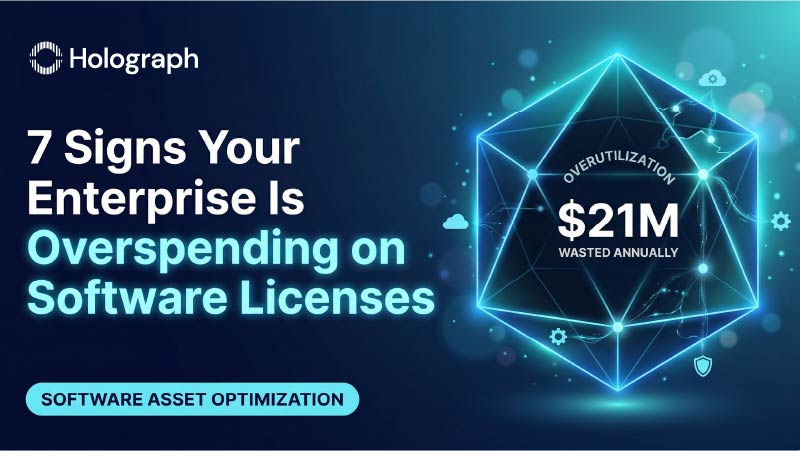
- The average enterprise wastes $21 million annually on unused SaaS licenses alone, with utilization rates hovering at just 47% across the portfolio, according to Zylo's 2025 SaaS Management Index.
- Seven specific warning signs indicate your organization is likely overspending, ranging from incomplete license inventories to scattered renewal dates to shadow IT sprawl.
- Software license cost optimization starts with visibility. You cannot reduce waste you cannot see.
- Organizations that address these warning signs proactively have documented savings of 20–40% on annual software spend.
Introduction
Software license cost optimization is one of the highest-impact cost levers available to enterprise IT leadership in 2026, and one of the most neglected. Zylo's 2025 SaaS Management Index found that the average enterprise wastes $21 million annually on unused SaaS licenses, a 14.2% increase year over year, with overall license utilization sitting at just 47%. That means more than half of the software seats enterprises pay for are not being used by anyone. Across a portfolio that now averages $4,830 per employee in SaaS spend alone, the math is difficult to ignore.
The problem is not that enterprises spend carelessly. The problem is that license waste accumulates quietly, across dozens of vendor relationships, hundreds of contract terms, and thousands of individual seat assignments. By the time anyone notices, the overspend has compounded across fiscal years.
These seven warning signs are the patterns we see most frequently after working with 170+ enterprises worldwide on improving software licensing management. If three or more apply to your organization, the optimization opportunity is almost certainly significant.
Sign 1: You Cannot Produce a Complete License Inventory Across All Vendors
This is the foundational warning sign, and it is the most common. When asked to list every software license the organization owns, across every vendor and every agreement type, most enterprise IT teams cannot do it with confidence.
The Atlassian licenses are tracked in one system. The Microsoft Enterprise Agreement sits in procurement's spreadsheet. Adobe Creative Cloud seat assignments are scattered across regional admin accounts. AWS reserved instances are monitored by a cloud team that operates independently from the team managing Google Workspace seats.
The scale of this visibility gap is well documented. Productiv's analysis of nearly 100 million SaaS licenses found that 40% of licenses are unused, and that figure only covers the applications organizations know about. If your enterprise cannot produce a unified, current inventory of every license it pays for, across every vendor and every agreement type, the other six warning signs on this list are almost guaranteed to apply as well.
Software license cost optimization begins with this inventory. Everything else follows from it.
Sign 2: Renewal Dates Are Scattered Across the Calendar Year
Enterprise software contracts accumulate organically over time, and renewal dates follow the same pattern. The Microsoft EA renews in March, the Atlassian Cloud subscriptions in July, the Adobe ETLA in November, and AWS reserved instances expire on a rolling quarterly basis throughout the year. Each date was locked in when the original contract was signed. Nobody went back and consolidated them afterward.
Scattered renewal dates create two distinct problems. The first is administrative: procurement and IT teams are perpetually in renewal mode, never able to step back and assess the portfolio strategically because there is always another renewal deadline approaching. The second is financial: isolated renewals eliminate cross-vendor negotiation leverage. When you renew each contract independently, you negotiate each contract independently. Organizations that consolidate renewal timelines into a single annual window gain the ability to negotiate across their entire software portfolio simultaneously, and the savings from that leverage consistently run 10–20% above what isolated renewals produce.
Related: Consolidating License Renewals to One Anniversary Date: Benefits and Playbook
Sign 3: You Are Paying for Licenses Assigned to Departed Employees
It sounds basic. It is embarrassingly common. In organizations with 1,000+ employees, the gap between an employee's departure date and the reclamation of their software licenses can stretch from weeks to months — and in some cases, the licenses are never reclaimed at all.
The math compounds quickly. A single unreclaimed Atlassian Cloud Premium seat costs roughly $150 per year. A Microsoft 365 E5 license runs approximately $432 per year. An Adobe Creative Cloud all-apps license costs around $900 per year. Multiply those figures across every employee who left the organization in the past 12 months, and the number becomes material.
The root cause is rarely negligence. It is a process gap. HR systems and license management systems do not talk to each other, and manual offboarding checklists miss license reclamation because it sits outside both IT's and HR's core workflow. This is one of the best practices for optimizing software license costs in a large enterprise that yields immediate, measurable returns: automate the connection between employee status changes and license assignments.
Related: Atlassian License Management and Cost Optimization
Sign 4: Your Cloud and On-Premises License Counts Do Not Reconcile
Hybrid environments create a specific category of license waste that is easy to overlook. When an organization migrates workloads from on-premises to cloud, the cloud subscriptions begin. What does not always happen is the corresponding reduction or termination of the on-premises entitlements those cloud subscriptions replaced.
The result is double-licensing: paying for cloud seats and on-premises licenses that cover the same users or workloads. This pattern is particularly common during and after cloud migration programs, where the migration timeline stretches across quarters and the licensing cleanup falls off the project plan once the technical migration is complete.
Microsoft environments are the most frequent offenders here, because Microsoft's hybrid use rights and license mobility provisions are complex enough that many organizations are unsure whether they can safely reduce on-premises entitlements after migrating to Azure or M365. The uncertainty leads to the conservative approach: keep paying for both. That conservative approach can cost 15–30% more than necessary.
Sign 5: You Have Not Renegotiated Enterprise Agreements in Two or More Years
Enterprise agreement renewals are negotiation opportunities. They are not administrative checkboxes. Yet many organizations treat them as exactly that — processing the renewal, accepting the vendor's proposed terms, and moving on.
Software vendors price aggressively at renewal because they understand that the switching costs are high and most enterprises will accept a modest price increase rather than undertake the effort of renegotiating or evaluating alternatives. Vendors count on that inertia. Organizations that approach renewals with current utilization data, competitive benchmarking, and a clear understanding of their actual needs (as opposed to what the vendor suggests they need) consistently achieve better terms.
This is especially true in 2026, as AI-embedded features are adding 15–25% price premiums to existing subscriptions across major vendors. If your enterprise agreement renews this year and you have not conducted a thorough utilization review, you are likely to absorb those increases without evaluating whether the AI features justify the added cost for your specific use cases.
Sign 6: Multiple Departments Buy the Same Tools Independently
Shadow IT is not a hypothetical risk for most enterprises. It is a documented reality. Zylo's 2025 SaaS Management Index reports that more than one-third of a company's application inventory consists of shadow IT — tools purchased outside of IT's procurement process. Employee-expensed SaaS applications alone account for approximately 4% of total software spend, while representing over one-third of an organization's total application inventory.
The waste from departmental duplication extends beyond the direct subscription costs. Large enterprises commonly run 15 online training applications, 11 project management tools, and 10 team collaboration applications simultaneously, according to the same Zylo data. Each of those tools carries licensing costs, integration overhead, security exposure, and data governance implications that nobody evaluated at the point of purchase.
Software license cost optimization at the enterprise level requires visibility into what every department is buying, not just what IT procures centrally. Without that visibility, the optimization effort addresses only a fraction of the actual spend.
Sign 7: You Have Been Surprised by a Vendor Audit — or You Are Dreading One
Vendor audits have escalated in both frequency and financial impact. A late-2024 Unisphere Research survey found that 62% of enterprises were audited by a major software vendor in the past year, up sharply from 40% in 2023. For organizations with more than 5,000 employees, the figure reached 66%. The average financial impact of a single audit now stands at $3.4 million according to ITAM Research, and 32% of organizations reported incurring more than $1 million in audit-related liability in the past year alone.
The organizations that fear audits are the ones that lack visibility into their own license compliance posture. They do not know whether they are under-licensed, over-licensed, or both. That uncertainty itself carries a cost in the form of conservative over-provisioning (buying more licenses than necessary to avoid audit exposure) and reactive spending when an audit does arrive.
The organizations that welcome audits, or at least approach them without anxiety, are the ones that maintain continuous compliance monitoring as part of their broader software licensing management practice. Their license inventories are current, their entitlements reconcile against actual usage, and their audit preparation is a quarterly review rather than an emergency drill.
Related: Software License Audit Readiness: How to Prepare for Microsoft, Adobe, and Atlassian Audits
What to Do About It
Recognizing these warning signs is the first step toward software license cost optimization. The next step is determining how large the opportunity actually is in your specific environment.
At Holograph, our experience across 170+ enterprise engagements has shown that organizations exhibiting three or more of these signs typically have optimization opportunities in the range of 20–40% of their annual software spend. One client, a major logistics enterprise in the Gulf region, documented 40% savings on IT costs after a structured multi-vendor license optimization engagement that addressed exactly these patterns.
The process for improving software licensing management follows a consistent sequence: build the inventory (addressing Sign 1), consolidate and reconcile (addressing Signs 2–4), renegotiate strategically (addressing Sign 5), establish governance (addressing Sign 6), and implement continuous monitoring (addressing Sign 7). Each step builds on the previous one, and the cumulative effect is a license estate that costs less, complies fully, and operates with far less administrative overhead.
CTA: Download: 10-Point License Waste Checklist
Related Reading
- Enterprise Guide to Software Licensing Management: How to Cut 30% of License Waste (Pillar page)
- Software License Audit Readiness: How to Prepare for Microsoft, Adobe, and Atlassian Audits
- Consolidating License Renewals to One Anniversary Date: Benefits and Playbook
- Atlassian License Management and Cost Optimization
This blog is part of Holograph's Software Licensing Management content series. For a comprehensive overview of enterprise license management, read the complete pillar guide. To see where your organization stands, download the 10-Point License Waste Checklist.