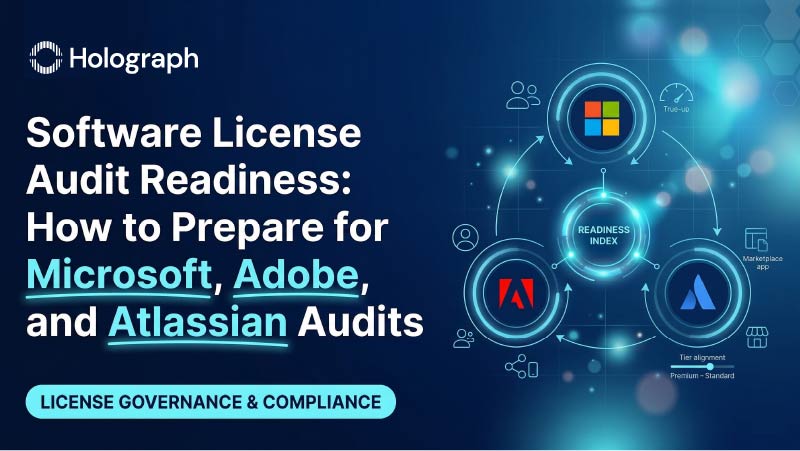
Software License Audit Readiness: How to Prepare for Microsoft, Adobe, and Atlassian Audits
Key Takeaways
Introduction
Software license audit preparation used to be something enterprises worried about once every few years. That has changed. Vendor audits are now more frequent, more financially consequential, and more technically sophisticated than at any point in the past decade. A late-2024 survey by Unisphere Research found that 62% of respondents were audited by a major software vendor in the past year, up sharply from 40% in 2023. For large enterprises with 5,000+ employees, the figure reached 66%. The average financial impact of a single audit has climbed to $3.4 million according to ITAM Research, up from $2.6 million in 2022, and Gartner reports that 87% of vendors now use audits as a structured revenue strategy rather than a last-resort compliance mechanism.
The three vendors most likely to audit enterprise customers in 2026 are Microsoft, Adobe, and (to a lesser extent) Atlassian. Each operates a different compliance verification process, looks for different types of non-compliance, and carries different financial consequences when gaps are found. Enterprise IT leaders who understand these differences can prepare for each vendor's approach specifically, rather than scrambling when the audit notification arrives.
At Holograph, our work with 170+ enterprises across Atlassian, Microsoft, Adobe, and other major vendors has given us direct visibility into how these audits unfold and what separates the organizations that emerge unscathed from those that write seven-figure remediation checks. This guide covers the preparation process for each vendor and the broader software license audit preparation practices that keep enterprises audit-ready year-round.
How Vendor Audits Work: The Common Elements
Before diving into vendor-specific software license audit preparation, it helps to understand the general mechanics that most enterprise software audits share.
Trigger events
Audits are not random. They are triggered by signals that suggest potential non-compliance. The most common triggers include significant changes in headcount (mergers, acquisitions, layoffs), cloud migration activity, contract renewal timelines, declined SAM engagement invitations, and anomalies detected in licensing data that vendors collect through telemetry and product usage reporting. Microsoft, in particular, now uses AI-driven algorithms to scan customer licensing data for anomalies that flag potential compliance gaps.
The audit timeline
Most audits follow a predictable sequence. The vendor initiates contact (often through the account team or a third-party auditor), requests access to deployment data, collects and analyzes that data over 30–90 days, presents findings with a compliance gap summary, and proposes a remediation plan that typically involves purchasing additional licenses. The entire process can stretch from three to six months, consuming 11–20% of IT staff working hours during that period, according to 2025 industry survey data.
What auditors look for
The core question is simple: does the organization's actual software deployment and usage match its contractual entitlements? In practice, auditors look for under-licensing (using more than what you have paid for), license type mismatches (deploying software under the wrong agreement type), unauthorized deployments (installations on devices or in environments not covered by the agreement), and expired entitlements still in use. What they do not look for, and this is important, is over-licensing. No auditor will tell you that you are paying for more than you need.
Microsoft Audit Preparation
Microsoft remains the most active auditor among major enterprise software vendors, and its audit program has grown more sophisticated in recent years. The compliance focus areas have expanded to match Microsoft's evolving product portfolio.
EA compliance and true-up accuracy
The Microsoft Enterprise Agreement true-up is the annual reconciliation where organizations report changes in license usage. It is the most common source of audit findings. Organizations that under-report during true-ups, whether intentionally or due to poor tracking, accumulate compliance debt that Microsoft's audit will surface. If the audit reveals unlicensed use exceeding 5% of total deployment, Microsoft can require license purchases at 125% of the current list price.
The preparation step: reconcile your true-up reporting against actual deployment data before the vendor's deadline. Count every device, every user, every server.
M365 seat reconciliation
With Microsoft eliminating volume licensing discounts as of November 2025, the financial stakes of getting M365 seat assignments right have increased. E5 licenses assigned to users who need E3 capabilities represent both compliance risk (if access to E5 features triggers obligations you have not accounted for) and cost waste (paying premium rates for unused functionality). A thorough software license audit preparation process for Microsoft includes a user-by-user review of M365 tier assignments against actual feature usage.
Hybrid use rights
Enterprises running workloads across on-premises and cloud environments face some of the most complex Microsoft licensing scenarios. Hybrid use rights govern whether on-premises licenses can be applied to Azure deployments, and the rules vary by license type, agreement type, and deployment model. Misunderstanding these rules is one of the fastest paths to a compliance gap. The preparation step: document every workload's licensing basis, whether it relies on on-premises entitlements, cloud subscriptions, or hybrid rights, and verify each against Microsoft's current rules.
Deep dive: Microsoft and Adobe License Optimization →
Adobe Audit Preparation
Adobe's compliance verification activity has intensified, with industry analysts noting a 30% surge in audit activity affecting organizations that rely on Creative Cloud and Acrobat across marketing, design, and media production teams.
Named-user vs. shared-device licensing
The most common Adobe compliance issue involves the distinction between named-user licenses and shared-device licenses. Named-user Creative Cloud licenses are tied to a specific individual, while shared-device licenses are tied to a physical workstation rather than a person. Organizations that deploy named-user licenses on shared machines (common in creative agencies, print production environments, and educational labs) are technically non-compliant, even if the total number of licenses matches the number of users. The preparation step: audit every Creative Cloud installation to verify that the license type matches the deployment model.
VIP vs. ETLA contract alignment
Many enterprises operate under a mix of Adobe Value Incentive Plan (VIP) agreements and Enterprise Term License Agreements (ETLA), sometimes because different departments or regions procured Adobe products independently at different times. When an audit examines the entire organization's Adobe deployment, these overlapping agreements can create confusion about which contract covers which users. The preparation step: build a unified Adobe license inventory that maps every user and every installation to a specific contract.
Acrobat and single-app sprawl
A frequently overlooked area. Employees install Acrobat Pro or individual Creative Cloud apps outside of the centrally managed deployment, either through personal subscriptions expensed to the company or through unauthorized downloads. These installations create compliance exposure that is invisible to IT until an auditor surfaces them. Adobe's license assignment reporting tools can help identify some of this sprawl, but a comprehensive software licensing asset management practice captures what vendor tools miss.
Atlassian Audit Preparation
Atlassian's compliance approach differs from Microsoft and Adobe in both tone and method. Atlassian does not conduct formal third-party audits in the way Microsoft and Adobe do. Instead, compliance verification happens through the platform itself, through tier validation, entitlement checks, and usage-based pricing that auto-adjusts based on active user counts.
That does not mean enterprises can ignore Atlassian license management. The compliance risk is lower, but the cost waste risk is substantial.
Cloud tier verification
The most common Atlassian cost issue is tier misalignment. Following the 2024 end-of-life for Atlassian Server products, many enterprises migrated to Cloud at higher tiers than necessary to minimize disruption during the transition. Premium and Enterprise tier pricing is significantly higher than Standard, and the features that justify those tiers (advanced analytics, sandbox environments, organization-level controls) are used by a fraction of the user base in most deployments. Holograph holds 52 Atlassian sales accreditations and 39 delivery accreditations, and across our engagements, we consistently find that 40–60% of users on Premium tiers would be fully productive on Standard.
Data Center entitlements
Organizations running Atlassian Data Center must reconcile their active user counts against their license tier thresholds. Data Center licensing is based on user bands (500, 1,000, 2,000, etc.), and organizations that have grown past a tier boundary without updating their entitlements are technically non-compliant. The preparation step: pull current active user counts from every Data Center product and compare them against your licensed tier.
Marketplace app licensing
This is the area most enterprises overlook entirely. Every Atlassian Marketplace app carries its own per-user license on top of the base product subscription. Organizations running 20–30 Marketplace apps across their Atlassian ecosystem can accumulate significant licensing costs that nobody tracks centrally. The preparation step: inventory every installed Marketplace app, verify the license count against active users, and evaluate whether the app is still in use.
Related: 7 Signs Your Enterprise Is Overspending on Software Licenses →
The Proactive Approach: Building an Always-Audit-Ready Practice
The vendor-specific software license audit preparation steps described above are reactive. They are what you do when an audit is approaching or when the compliance anxiety becomes too loud to ignore. The better approach is to build these checks into a continuous practice so that audit readiness is a byproduct of how you manage licenses, not a separate emergency procedure.
The proactive approach rests on three elements.
Continuous license inventory. Maintain a current, unified inventory of every software entitlement across every vendor, updated automatically through SAM tools and manual reconciliation on a quarterly cycle. When this inventory exists, the first week of any audit is a reporting exercise rather than a forensic investigation.
Quarterly entitlement reconciliation. Every quarter, reconcile what you own against what is deployed and what is in use. This catches compliance gaps before they compound and catches cost waste before it persists for a full renewal cycle. This practice represents the core of effective software license audit preparation because it addresses compliance and optimization simultaneously.
Cross-functional ownership. Audit readiness cannot live solely in IT. Procurement owns the contracts. HR owns the employee lifecycle that triggers license assignments and reclamations. Finance owns the budget impact. Legal owns the contractual obligations. The organizations that weather audits best are the ones where these teams share a single source of truth about the license estate and collaborate on maintaining it.
At Holograph, our work with government organizations like ZATCA (Saudi Arabia's tax authority) on Atlassian optimization and disaster recovery, and with enterprises like Almajdouie on multi-vendor license restructuring, has demonstrated that the proactive approach does not just reduce audit risk. It produces the same 20–40% cost savings that a reactive optimization would, without the time pressure and without the vendor leverage disadvantage that comes with being caught non-compliant.
Turning Audit Prep into a Cost-Saving Exercise
The reconciliation process required for software license audit preparation is identical to the process that reveals optimization opportunities. Every compliance gap has a mirror image: under-licensing in one area almost always coincides with over-licensing in another. The enterprise that discovers 200 unlicensed Microsoft deployments during audit prep will, in the same analysis, discover 300 unused licenses that could be reclaimed. Fixing both sides of the equation simultaneously turns a defensive compliance exercise into a financial win.
That reframe changes the internal conversation. Audit readiness is no longer a cost center or a risk mitigation expense. It is a cost-recovery initiative with compliance as a side benefit. The organizations that approach software licensing asset management with this mindset invest more consistently in it, and the results compound over time.
Related Reading
This blog is part of Holograph's Software Licensing Management content series. For a comprehensive overview of enterprise license management, read the complete pillar guide. For a deeper, step-by-step audit preparation playbook, see How to Prepare for a Multi-Vendor License Audit.