Microsoft 365 E3 vs E5: How to Choose the Right License Tier
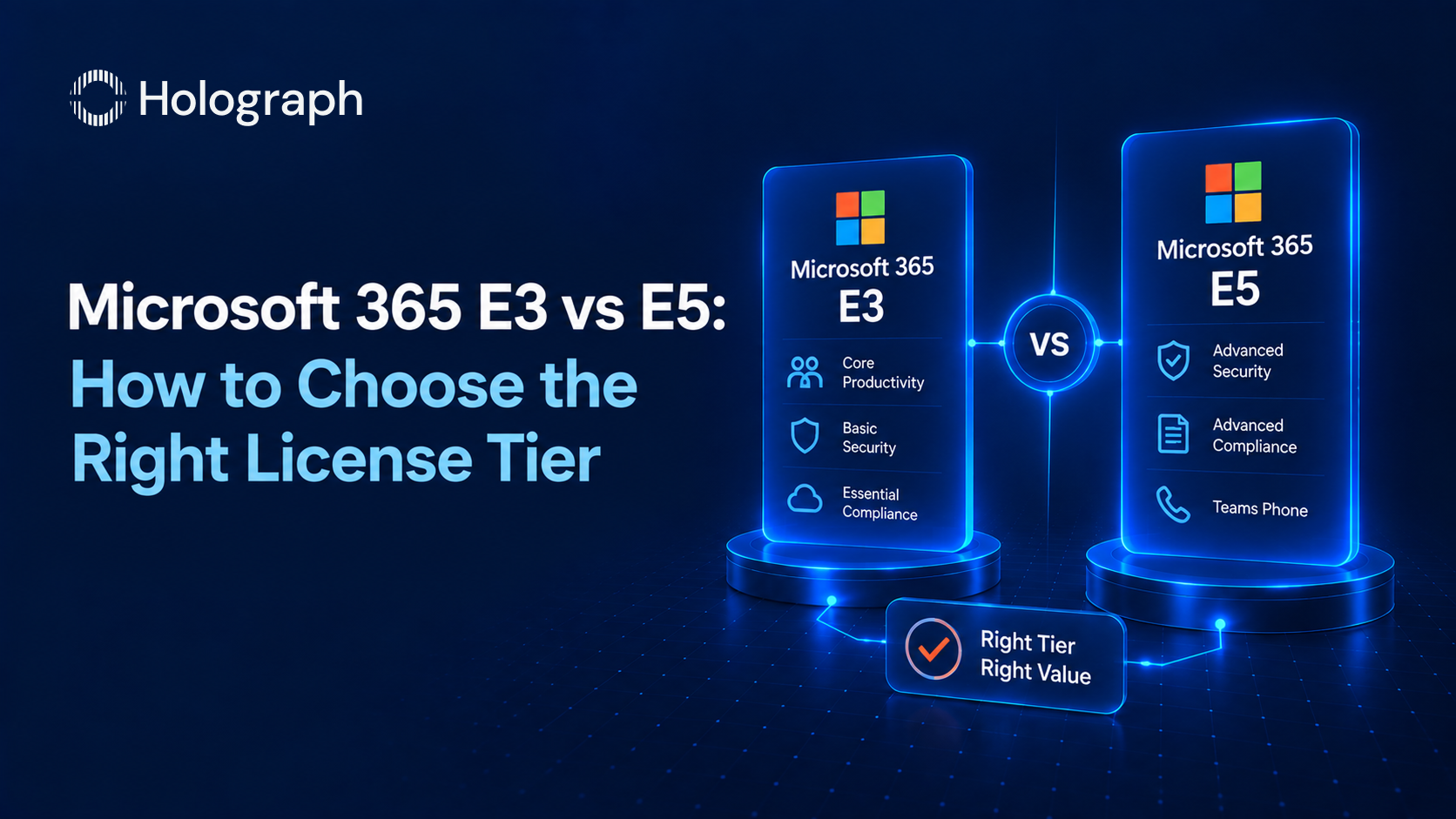
Microsoft 365 E3 lists at $39 per user per month; E5 at $60. That $21 step-up is one of the largest recurring decisions in an enterprise IT budget. Across 10,000 users it is $2.52 million a year, at list, and the pitch that justifies it is always the same: E5 is the secure tier. The reality in a large share of estates is different. Organisations pay the E5 premium for a stack of security and compliance features, then keep running the third-party tools their teams actually use, and pay twice.
The decision is not whether E5 is better. It clearly adds more. The decision is whether your organisation uses what E5 adds, and whether those features would cost more than $21 per user if bought on their own. Here is how to work that out.
What E5 actually adds over E3
E5 includes everything in E3 and layers on four families of capability.
Advanced security. E3 carries Defender for Office 365 Plan 1, Defender for Endpoint Plan 1, and Entra ID P1. E5 upgrades both Defender products to Plan 2 (endpoint detection and response, automated investigation, attack simulation) and adds Defender for Identity and Defender for Cloud Apps, the cloud access security broker that governs SaaS use.
Advanced compliance. E3 includes Purview Information Protection P1, basic data loss prevention, standard eDiscovery, and 90-day audit retention. E5 adds Purview P2, Insider Risk Management, Communication Compliance, Records Management, advanced eDiscovery, endpoint DLP, automated sensitivity labelling, and a year of audit retention.
Identity governance. E5 replaces Entra ID P1 with P2 and adds Entra ID Governance P2, which brings Privileged Identity Management, Access Reviews, and Entitlement Management.
Analytics and voice. E5 includes Power BI Pro for every user and the Teams Phone System with audio conferencing.
That is a genuine amount of capability. The question is how much of it the organisation will actually operationalise.
The add-on equivalence test
The disciplined way to decide is to price the E5 gap as individual add-ons and compare the total to the $21 step-up. Microsoft sells the E5 components as add-ons to E3: the E5 Security add-on is roughly $12 per user per month, the E5 Compliance add-on roughly $12, Power BI Pro roughly $10, and the Phone System roughly $8.
The math produces a clean decision rule. If the organisation needs both the E5 Security and the E5 Compliance add-ons, the two together reach the full E5 step-up, so E5 is the cheaper route and buys the rest of the bundle at no extra cost. If it needs only one of them, or only a single component such as endpoint detection and response, the targeted add-on on top of E3 costs less than the full E5 tier. The step-up only pays for itself when a user genuinely needs most of what it contains.
When E5 is the right call
Three situations justify E5 across a population.
The first is a Microsoft-native security strategy: a security team consolidating on Defender as its primary endpoint and email protection, retiring third-party tools rather than running them alongside. The long-term cost is clean because there is no duplicate tooling.
The second is a regulated organisation using Purview as its compliance backbone. Insider Risk Management, Communication Compliance, and Records Management are driven by regulatory and HR requirements, not by the security operations team, and they carry meaningful standalone value in financial services, healthcare, government, and defence.
The third is a voice consolidation play: replacing a legacy phone system or a third-party unified-communications tool with Teams Phone, capturing the bundled Phone System value at the E5 price point.
When E3 plus targeted add-ons wins
For organisations with established third-party security and compliance tooling, E3 with selective add-ons is frequently the better answer. If the only real gap is endpoint detection and response, adding that single component to E3 is far cheaper than the full step-up. If the security team will not operationalise the wider E5 stack, paying for it changes nothing except the invoice.
The common mistake is buying E5 for a capability the organisation already covers with an incumbent tool, then never switching the incumbent off. The result is two products doing one job, billed in parallel, often for years.
The persona-mixed approach
The largest saving in most estates is neither all-E3 nor all-E5. It is a mixed estate: E3 as the broad base for general knowledge workers, and E5 or targeted add-ons for the security-sensitive populations that genuinely need the advanced stack, such as the security operations team, executives, finance, and HR. A blended estate matched to who needs what frequently costs materially less than blanket E5 at the same security posture.
The trade-off is operational. Running mixed tiers requires the software asset management function to maintain user-level licence visibility, and the security team to accept that controls differ by population. That discipline is exactly what a licensing review establishes, and locking the mixed outcome into the agreement at renewal is what makes the saving durable. The full set of levers sits in our enterprise guide to reducing Microsoft 365 licensing costs, and the Copilot decision, which is separate from the E3 versus E5 one, is covered in our guide to Microsoft 365 Copilot licensing.
Frequently asked questions
What is the difference between Microsoft 365 E3 and E5?
E5 includes everything in E3 and adds advanced security (Defender for Endpoint and Office 365 Plan 2, Defender for Identity, Defender for Cloud Apps), advanced compliance (Purview P2, Insider Risk Management, Communication Compliance, Records Management, advanced eDiscovery), identity governance (Entra ID P2 and Governance P2), Power BI Pro, and the Teams Phone System.
How much more is E5 than E3?
E3 lists at $39 per user per month and E5 at $60, a step-up of about $21 per user per month, before volume or partner discounts. At 10,000 users that is roughly $2.52 million a year at list.
Is E5 worth it?
It depends on how much of the E5 stack you operationalise. Price the E5 gap as add-ons and compare to the $21 step-up. If you need both the E5 Security and the E5 Compliance add-ons, E5 is cheaper. If you need only one, or only endpoint detection and response, E3 plus that add-on costs less.
Can I buy E5 features as add-ons to E3?
Yes. The E5 Security add-on (roughly $12 per user per month) and the E5 Compliance add-on (roughly $12) let you add the Defender and Purview components selectively to an E3 base. Stacking both reaches the full E5 price, so if you need both, move to E5.
What is the cheapest way to license Microsoft 365 for a large organisation?
Usually a persona-mixed estate: E3 for general knowledge workers and E5 or targeted add-ons for security-sensitive populations. Matching the tier to who needs the advanced stack, rather than defaulting everyone to E5, is the largest single lever on the bill.
Paying E5 for features you do not use?