How to Reduce Microsoft 365 Licensing Costs: An Enterprise Guide
Microsoft 365 is one of the largest recurring line items in most enterprise IT budgets, and the single biggest decision inside it is which suite each person is assigned. Microsoft 365 E3 lists at $39 per user per month in 2026; E5 lists at $60. That $21 gap looks small on one line. Across 10,000 users it is $2.52 million a year, at list, for one tier choice.
Most Microsoft 365 bills are not expensive because the platform is overpriced. They are expensive because the assignments drifted. Everyone was moved to E5 for a security feature a subset of the workforce needed. Copilot was switched on for a whole department to see who would use it. Licenses stayed assigned to people who left. The invoice reflects last year's decisions, not this year's usage.
This guide covers every lever that lowers a Microsoft 365 bill, and how to pull each one without disrupting the people who depend on the tools. We manage this work across multiple enterprise technology ecosystems, and the approach below is the same one we run for enterprise clients.
Where Microsoft 365 cost actually comes from
Microsoft 365 is priced per user, per suite, on an annual commitment. Four mechanics drive most of the spend, and most finance teams underestimate all four.
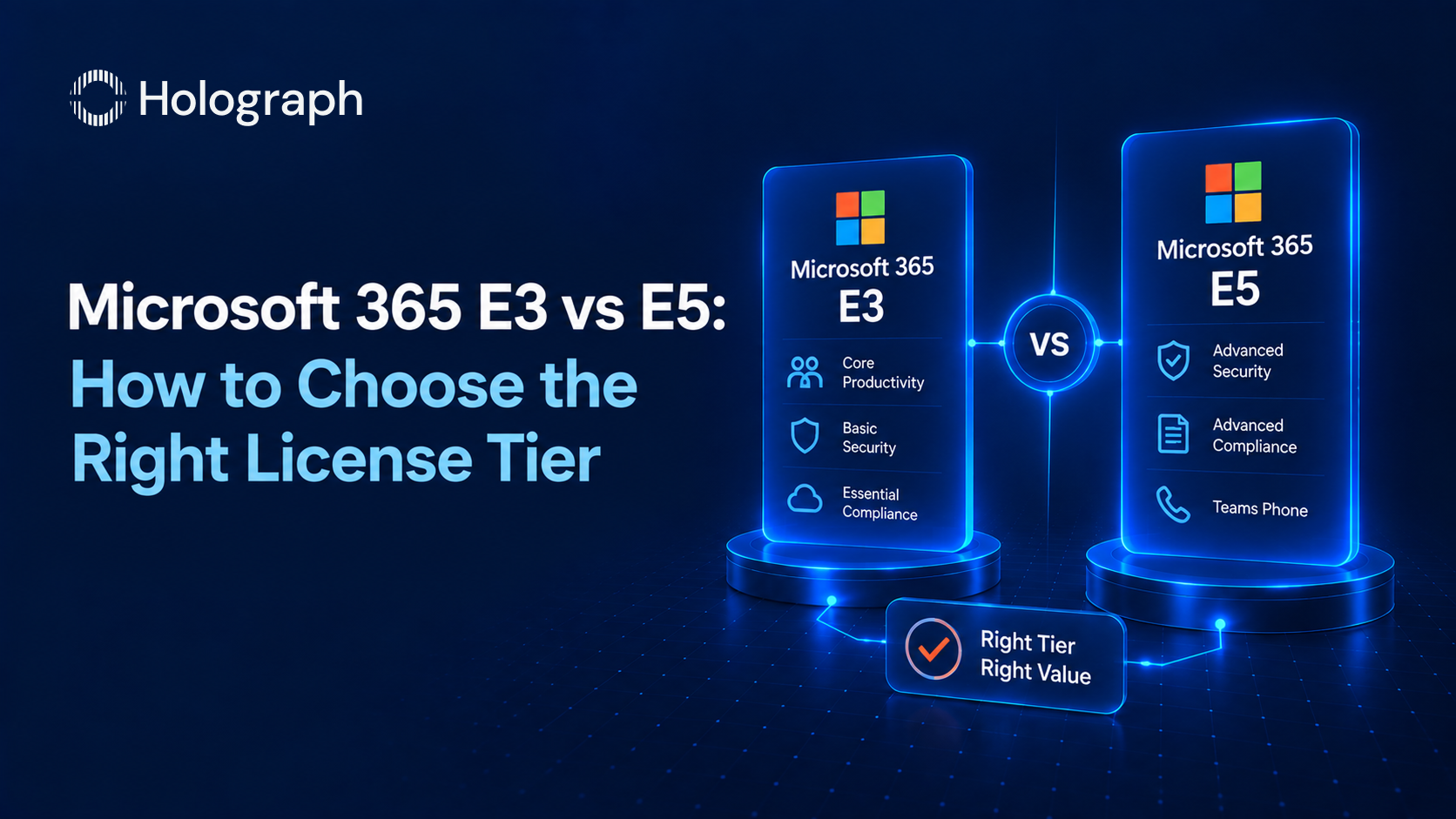
The first is the suite tier. Microsoft 365 E3 ($39) covers Office apps, Windows Enterprise, Entra ID P1, Intune, and standard security and compliance. E5 ($60) adds advanced security (Defender for Endpoint and Office 365 Plan 2, Defender for Cloud Apps, Entra ID P2), advanced compliance (eDiscovery Premium, Insider Risk, Communication Compliance), Power BI Pro, and the Teams Phone System. The $21 difference is the largest per-user lever in the estate, and it is rarely assigned by who actually needs the E5 capabilities.
The second is add-ons and Copilot. Microsoft 365 Copilot is a $30 per user per month add-on on top of a qualifying base plan. It is not included in E3 or E5, a point many buyers get wrong. Copilot Chat, the web-grounded assistant, is included with eligible plans at no extra cost, but the in-app Copilot experience across Word, Excel, PowerPoint, Outlook, and Teams is the paid seat. Standalone add-ons (Power BI Pro, Phone System, advanced compliance) stack on top of E3 in the same way.
The third is billing commitment. Annual-commitment pricing is the list rate above. A monthly commitment carries roughly a 20% premium per seat. For a stable enterprise, there is no reason to pay it.
The fourth is the price trajectory. Microsoft raised commercial suite prices in 2026, with Microsoft 365 E3 up 8% and E5 up 5% at the July update. Microsoft has also introduced higher bundles that fold Copilot and advanced identity into a single premium suite, which shifts the reference point every buyer negotiates against. The direction of travel is up, and toward bundling, so the estate a renewal locks in should be sized to what the workforce uses, not to the newest bundle's feature list. Prices move, and renewals process against the current list unless the estate is reviewed first.
These mechanics compound. An over-assigned E5 population, a blanket Copilot rollout, a monthly commitment, and inactive licenses all bill at the same time, at the higher of every available rate. Reversing that is what a licensing review does, and none of it requires leaving Microsoft 365.
The levers that cut Microsoft 365 spend
Each lever below lowers cost while the same people keep the same tools.
Right-size the E5 and E3 mix
This is the largest saving in most estates. The question is not "what does E5 cost," it is "who actually uses what E5 adds." The disciplined test is add-on equivalence: take the capabilities E5 adds over E3, price them as individual add-ons, and compare the total to the $21 step-up. Priced individually, the E5-only security, compliance, and analytics capabilities add up to well above the $21 step-up, so a user who genuinely needs most of them is cheaper on E5. A user who needs one or two is cheaper on E3 with those specific add-ons. The saving comes from making that call per role rather than defaulting the whole organisation to a single tier, because the population assigned E5 is almost always larger than the population that uses what E5 adds. The E3 versus E5 decision has its own detailed guide.
Remove and reassign inactive licenses
Assigned licenses bill whether or not the person logs in, and whether or not they still work at the company. Offboarding that removes the account but leaves the license assigned, or a directory that provisions licenses automatically, keeps paying for seats nobody uses. Pull the last-activity data per user, reclaim licenses from dormant and departed accounts, and reassign rather than repurchase for new joiners. This is the same discipline covered in our guide to the signs an enterprise is overspending on software licenses.
License Copilot to the people who use it, not everyone
Copilot is where 2026 budgets are drifting fastest. At $30 per user per month, a blanket rollout across a department is $360 per user per year for seats that may sit idle. The common failure is an activation gap: seats assigned in a wave of enthusiasm that go unused for months. The fix is to license Copilot to the roles that demonstrate weekly time savings above the seat cost, measure activation, and run a regular reclaim so dormant seats move to people on the waitlist rather than renewing unused. The full method is in our guide to Microsoft 365 Copilot licensing.
Budget the Copilot agent economy separately
The $30 Copilot seat is not the whole Copilot bill. Agents built in Copilot Studio, Security Copilot, and the pay-as-you-go connectors and agent tasks are billed on consumption, separately from the per-user seats. Treating them as a single number is how Copilot budgets overrun mid-year. Set the seat spend and the consumption spend as two distinct lines, put a budget and usage alerts on the consumption side, and review both each quarter so an experiment in one team does not quietly become an unmanaged running cost.
Match the plan to the worker
Not everyone needs a full Microsoft 365 Enterprise seat. Frontline and deskless staff who need email, Teams, and web apps but not the full desktop suite are served by the frontline plans at a fraction of the E3 rate. Users who need Office and email but not the Windows and advanced management layer may fit an Office 365 suite rather than a Microsoft 365 one. Segmenting the workforce by what each group actually does, then matching the plan, removes a layer of cost that a single default tier hides.
Choose annual commitment, and lead the renewal
Move stable seats to annual commitment to drop the 20% monthly premium, but do it after the cleanup, so you commit to a right-sized count rather than an inflated one. Time the renewal deliberately: a Microsoft agreement, whether an Enterprise Agreement, a Microsoft Customer Agreement, or a partner (CSP) arrangement, is negotiated against volume and mix, and the discount compresses the list rate materially at scale. Start the work months before the renewal date, not when the quote arrives, and factor in the announced price increases so the renewal is planned rather than absorbed. The agreement vehicle matters too. An Enterprise Agreement suits large, stable estates committing for three years, while a Microsoft Customer Agreement or a partner (CSP) arrangement gives smaller or changing estates more room to adjust seat counts through the term. Choosing the vehicle that matches how the workforce actually changes avoids paying for rigidity the organisation does not need.
What a no-migration licensing review looks like
A Microsoft 365 review runs in a defined sequence. First, we pull active-usage data per user and per product, and compare it against the assigned licenses and suites. Second, we reclaim inactive and departed seats and segment the workforce by role. Third, we run the add-on equivalence analysis to right-size the E5 and E3 mix and any standalone add-ons. Fourth, we assess Copilot activation and reclaim dormant seats. Fifth, we align the commitment term and time the renewal so the cleaned-up numbers, not last year's assignments, are what gets signed.
Nothing in that sequence changes the tools people use. The apps, the mailboxes, the files, and the Teams calls stay exactly as they are. The bill is the only thing that moves, and because much of the saving is structural rather than a one-time discount, it holds at every renewal that follows.
The self-funding model
We start most engagements with the licensing review because it pays for itself. The saving from right-sizing a Microsoft 365 estate is recurring, it applies at every renewal, and it frees budget that can fund the wider work of getting more from the platform the enterprise already owns. The cost reduction comes first, and it funds what follows. Microsoft 365 is one ecosystem in a broader estate, and the same review runs across the other platforms an enterprise licenses, so the picture is managed as a whole rather than one vendor at a time.
If you want the full picture across every vendor, start with our enterprise guide to software licensing management, and see how licensing sits alongside cloud cost control in why cloud FinOps needs strong license management.
Frequently asked questions
How is Microsoft 365 priced for enterprises?
Per user, per suite, on an annual commitment. In 2026 Microsoft 365 E3 lists at $39 per user per month and E5 at $60, before volume or partner discounts. A monthly commitment costs roughly 20% more per seat.
Is Microsoft 365 Copilot included in E5?
No. Copilot is a separate $30 per user per month add-on that requires a qualifying base plan such as E3 or E5. Copilot Chat is included with eligible plans at no extra cost, but the in-app Copilot experience is a paid, separately assigned seat.
What is the fastest way to cut Microsoft 365 costs?
Reclaim inactive and departed licenses, then right-size the E5 and E3 mix by role. Removing seats nobody uses and moving users who do not need E5 features down to E3 or E3 plus targeted add-ons are the two largest levers, and neither disrupts the people still using the tools.
Is annual or monthly Microsoft 365 billing cheaper?
Annual commitment is the lower rate; monthly carries roughly a 20% premium per seat. Clean up the user count first, then commit annually to a right-sized number rather than an inflated one.
How often should we review Microsoft 365 licenses?
Run a license and Copilot activation review quarterly, and a full estate review, including suite mix and commitment term, before every renewal. Prices and headcount both move, so the review is what keeps the bill matched to real use.
See where your Microsoft 365 spend is leaking